CHC9012 | National Taiwan Normal University
Prepare your dataset:
Please download the files for the content of Week 12, and place them in your PreprocessingAnalysesR folder.
π» Please start RStudio and select the project called PreprocessingAnalysesR.
Instructions
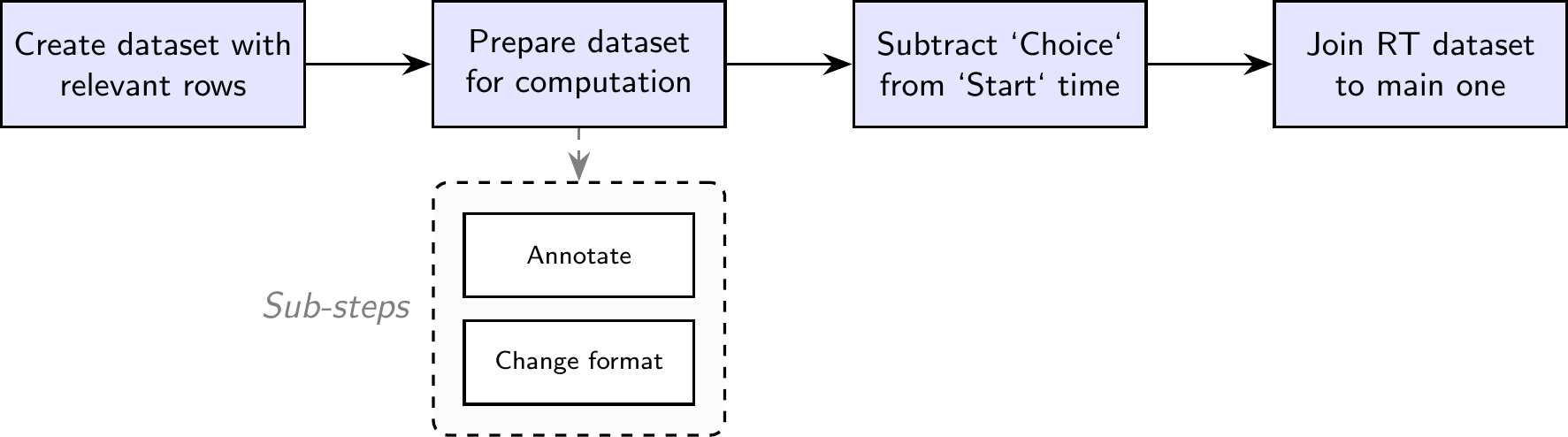
We should never forget that coding is a tool to achieve a task. For our case, the main task is to prepare the dataset for further analyses, which means:
How to do so? Two steps:
Results.reception.time: Time in the PCIbex server when the results were received. This can be used as the Participant ID, assuming that there are no two participants who submitted the results at the exact same time.MD5.hash.of.participant.s.IP.address: Scripted IP address of the machine used by the participant.Controller.name: Which controller was used to code the experiment.Order.number.of.item: The order of presentation of the whole questionnaire, starting from the very first page.Inner.element.number: Whether specific numbers were assigned to the element.Label: The name given to the webpage in PCIbex (for example, Welcome page, Instructions, Exeriment, etc.).Latin.Square.GroupPennElementType: The PCIbex element used for the action (TextInput, Scale, Dropdown, etc.).Parameter: Breakdown of the elements used on a same page.Value: What the participant wrote or selectedm or when an element starts or ends.EventTime: Time point at which an action occured (the time corresponds to the PCIbex server)CommentsItemNo: The ID of the item (here, sentence)Condition: The experimental conditionGroupUserAgeUserDegreeInstructions
What needs to be done to prepare the dataset?
Some tips:
$ sign (data$Controller.name)NULL to this column to delete it.You can have a glimpse of the names of the columns using the names(...) function.
[1] "Results.reception.time"
[2] "MD5.hash.of.participant.s.IP.address"
[3] "Order.number.of.item"
[4] "Label"
[5] "PennElementType"
[6] "PennElementName"
[7] "Parameter"
[8] "Value"
[9] "EventTime"
[10] "ItemNo"
[11] "Condition"
[12] "Group"
[13] "UserAge"
[14] "UserDegree"
Each name is assigned to a numerical index. For instance, β[1]β corresponds to βResults.reception.timeβ.
[1] "Results.reception.time"
Once we have the index of columns, we just need to assign new names to them.
[1] "ID_1_TimeReceived" "ID_2_IP" "Order.number.of.item"
[4] "Label" "PennElementType" "PennElementName"
[7] "Parameter" "Value" "EventTime"
[10] "ItemNo" "Condition" "Group"
[13] "UserAge" "UserDegree"
filter() function from the dplyr package.%>%: to say that βThis is the Label column from the dataset called dataβ.== sign: we want the Experiment rows.data2.Check: We expect to only find Experiment in the Label column.
π Defining reaction time
In this experiment:
Reaction time = Time when the judgment is made - Time when the sentence appeared
Calculating the reaction time from PCIbex data requires several steps.
Letβs have a look at our data:
How would you proceed? Letβs reflect for 10 minutes.

Reaction time = βEventTime when Parameter = Choiceβ - βEventTime when Value = Startβ.RT_Prep1.Value column: time for Start, but not for Choice. We want to have everything under the same column.Value column, the word is not Start, we write Choice.RT_Prep1$Value <- ifelse(RT_Prep1$Value == "Start",
"Start",
"Choice")
RT_Prep1$PennElementType <- NULL
RT_Prep1$PennElementName <- NULL
RT_Prep1$Parameter <- NULLEventTime for Start and Choice in different columns.spread() function from the tidyr library.Choice from Start timeChange to numeric values, and subtract.
RT_Prep2$Choice <- as.numeric(RT_Prep2$Choice)
RT_Prep2$Start <- as.numeric(RT_Prep2$Start)
RT_Prep2$RT <- RT_Prep2$Choice - RT_Prep2$StartTip
We have two datasets:
data2, with the judgment data, but not the reaction time,RT_Prep2, the temporary dataset with the reaction time, but not the judgment data.We just need to join them based on their common minimal value: 1 different trial per participant.
left_join() function to join these two datasets based on (a) the participant ID, and (b) the Item index.data3 <- data3 %>%
left_join(RT_Prep2 %>% select(ID_1_TimeReceived, ID_2_IP, ItemNo, RT),
by = c("ID_1_TimeReceived", "ID_2_IP", "ItemNo"))Letβs look again at our data:
'data.frame': 1290 obs. of 15 variables:
$ ID_1_TimeReceived : int 1777517421 1777517421 1777517421 1777517421 1777517421 1777517421 1777517421 1777517421 1777517421 1777517421 ...
$ ID_2_IP : chr "965c6743ad440dd6eaf441586b84d5c2" "965c6743ad440dd6eaf441586b84d5c2" "965c6743ad440dd6eaf441586b84d5c2" "965c6743ad440dd6eaf441586b84d5c2" ...
$ Order.number.of.item: int 16 33 26 25 31 7 28 17 21 34 ...
$ Label : chr "Experiment" "Experiment" "Experiment" "Experiment" ...
$ PennElementType : chr "Scale" "Scale" "Scale" "Scale" ...
$ PennElementName : chr "Scale" "Scale" "Scale" "Scale" ...
$ Parameter : chr "Choice" "Choice" "Choice" "Choice" ...
$ Value : chr "6" "1" "4" "3" ...
$ EventTime : num 1.78e+12 1.78e+12 1.78e+12 1.78e+12 1.78e+12 ...
$ ItemNo : chr "11" "58" "51" "50" ...
$ Condition : chr "Grammatical" "Ungrammatical" "Ungrammatical" "Ungrammatical" ...
$ Group : chr "A" "A" "A" "A" ...
$ UserAge : int 30 30 30 30 30 30 30 30 30 30 ...
$ UserDegree : chr "Ph.D." "Ph.D." "Ph.D." "Ph.D." ...
$ RT : num 20079 13763 13247 13997 13063 ...
Some variables correspond to groups (or categories), so we used the as.factor() function to group them.
For numerical values, we use the as.numeric() function.
data3$Order.number.of.item <- as.numeric(data3$Order.number.of.item)
data3$Value <- as.numeric(data3$Value)
data3$UserAge <- as.numeric(data3$UserAge)
data3$RT <- as.numeric(data3$RT)Now this is our data:
'data.frame': 1290 obs. of 15 variables:
$ ID_1_TimeReceived : Factor w/ 43 levels "1777517421","1777518106",..: 1 1 1 1 1 1 1 1 1 1 ...
$ ID_2_IP : Factor w/ 12 levels "0dee2ffb70111f78f8da03e6cb282297",..: 9 9 9 9 9 9 9 9 9 9 ...
$ Order.number.of.item: num 16 33 26 25 31 7 28 17 21 34 ...
$ Label : chr "Experiment" "Experiment" "Experiment" "Experiment" ...
$ PennElementType : chr "Scale" "Scale" "Scale" "Scale" ...
$ PennElementName : chr "Scale" "Scale" "Scale" "Scale" ...
$ Parameter : chr "Choice" "Choice" "Choice" "Choice" ...
$ Value : num 6 1 4 3 2 6 1 7 1 1 ...
$ EventTime : num 1.78e+12 1.78e+12 1.78e+12 1.78e+12 1.78e+12 ...
$ ItemNo : Factor w/ 60 levels "1","10","11",..: 3 54 47 46 52 12 49 4 41 55 ...
$ Condition : Factor w/ 2 levels "Grammatical",..: 1 2 2 2 2 1 2 1 2 2 ...
$ Group : Factor w/ 2 levels "A","B": 1 1 1 1 1 1 1 1 1 1 ...
$ UserAge : num 30 30 30 30 30 30 30 30 30 30 ...
$ UserDegree : Factor w/ 4 levels "BA","High school",..: 4 4 4 4 4 4 4 4 4 4 ...
$ RT : num 20079 13763 13247 13997 13063 ...
We made use of some columns when calculating the reaction time, but we do not need them anymore, and they are redundant. So here is another round of column removal!
'data.frame': 1290 obs. of 15 variables:
$ ID_1_TimeReceived : Factor w/ 43 levels "1777517421","1777518106",..: 1 1 1 1 1 1 1 1 1 1 ...
$ ID_2_IP : Factor w/ 12 levels "0dee2ffb70111f78f8da03e6cb282297",..: 9 9 9 9 9 9 9 9 9 9 ...
$ Order.number.of.item: num 16 33 26 25 31 7 28 17 21 34 ...
$ Label : chr "Experiment" "Experiment" "Experiment" "Experiment" ...
$ PennElementType : chr "Scale" "Scale" "Scale" "Scale" ...
$ PennElementName : chr "Scale" "Scale" "Scale" "Scale" ...
$ Parameter : chr "Choice" "Choice" "Choice" "Choice" ...
$ Value : num 6 1 4 3 2 6 1 7 1 1 ...
$ EventTime : num 1.78e+12 1.78e+12 1.78e+12 1.78e+12 1.78e+12 ...
$ ItemNo : Factor w/ 60 levels "1","10","11",..: 3 54 47 46 52 12 49 4 41 55 ...
$ Condition : Factor w/ 2 levels "Grammatical",..: 1 2 2 2 2 1 2 1 2 2 ...
$ Group : Factor w/ 2 levels "A","B": 1 1 1 1 1 1 1 1 1 1 ...
$ UserAge : num 30 30 30 30 30 30 30 30 30 30 ...
$ UserDegree : Factor w/ 4 levels "BA","High school",..: 4 4 4 4 4 4 4 4 4 4 ...
$ RT : num 20079 13763 13247 13997 13063 ...
data3$Label <- NULL
data3$PennElementType <- NULL
data3$PennElementName <- NULL
data3$Parameter <- NULL
data3$EventTime <- NULL
str(data3)'data.frame': 1290 obs. of 10 variables:
$ ID_1_TimeReceived : Factor w/ 43 levels "1777517421","1777518106",..: 1 1 1 1 1 1 1 1 1 1 ...
$ ID_2_IP : Factor w/ 12 levels "0dee2ffb70111f78f8da03e6cb282297",..: 9 9 9 9 9 9 9 9 9 9 ...
$ Order.number.of.item: num 16 33 26 25 31 7 28 17 21 34 ...
$ Value : num 6 1 4 3 2 6 1 7 1 1 ...
$ ItemNo : Factor w/ 60 levels "1","10","11",..: 3 54 47 46 52 12 49 4 41 55 ...
$ Condition : Factor w/ 2 levels "Grammatical",..: 1 2 2 2 2 1 2 1 2 2 ...
$ Group : Factor w/ 2 levels "A","B": 1 1 1 1 1 1 1 1 1 1 ...
$ UserAge : num 30 30 30 30 30 30 30 30 30 30 ...
$ UserDegree : Factor w/ 4 levels "BA","High school",..: 4 4 4 4 4 4 4 4 4 4 ...
$ RT : num 20079 13763 13247 13997 13063 ...
Finally, we forgot to .log() the sentences in the PCIbex script:
left_join() function to join these two datasets based on the index of the items (here, ItemNo)material <- read.csv("~/Documents/CHC9012_Spring2026/PreprocessingAnalysesR/material.csv")
material$ItemNo <- as.factor(material$ItemNo)
data3 <- data3 %>%
left_join(material %>% select(ItemNo, Sentence),
by = "ItemNo")
data3$Sentence <- as.factor(data3$Sentence)
str(data3)'data.frame': 1290 obs. of 11 variables:
$ ID_1_TimeReceived : Factor w/ 43 levels "1777517421","1777518106",..: 1 1 1 1 1 1 1 1 1 1 ...
$ ID_2_IP : Factor w/ 12 levels "0dee2ffb70111f78f8da03e6cb282297",..: 9 9 9 9 9 9 9 9 9 9 ...
$ Order.number.of.item: num 16 33 26 25 31 7 28 17 21 34 ...
$ Value : num 6 1 4 3 2 6 1 7 1 1 ...
$ ItemNo : Factor w/ 60 levels "1","10","11",..: 3 54 47 46 52 12 49 4 41 55 ...
$ Condition : Factor w/ 2 levels "Grammatical",..: 1 2 2 2 2 1 2 1 2 2 ...
$ Group : Factor w/ 2 levels "A","B": 1 1 1 1 1 1 1 1 1 1 ...
$ UserAge : num 30 30 30 30 30 30 30 30 30 30 ...
$ UserDegree : Factor w/ 4 levels "BA","High school",..: 4 4 4 4 4 4 4 4 4 4 ...
$ RT : num 20079 13763 13247 13997 13063 ...
$ Sentence : Factor w/ 60 levels "He does not need help with his homework today",..: 23 47 17 46 42 11 38 50 22 28 ...
Tip
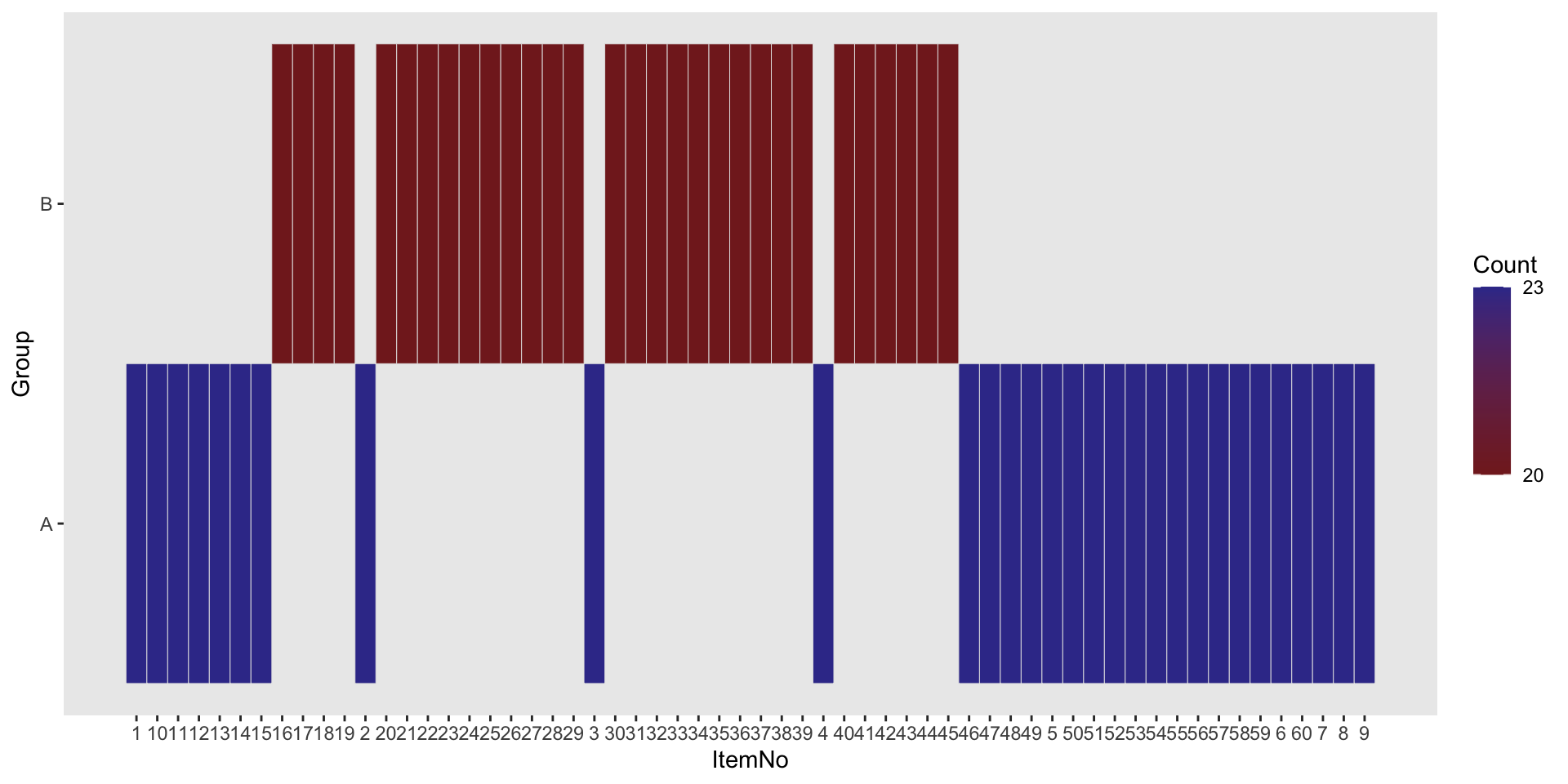
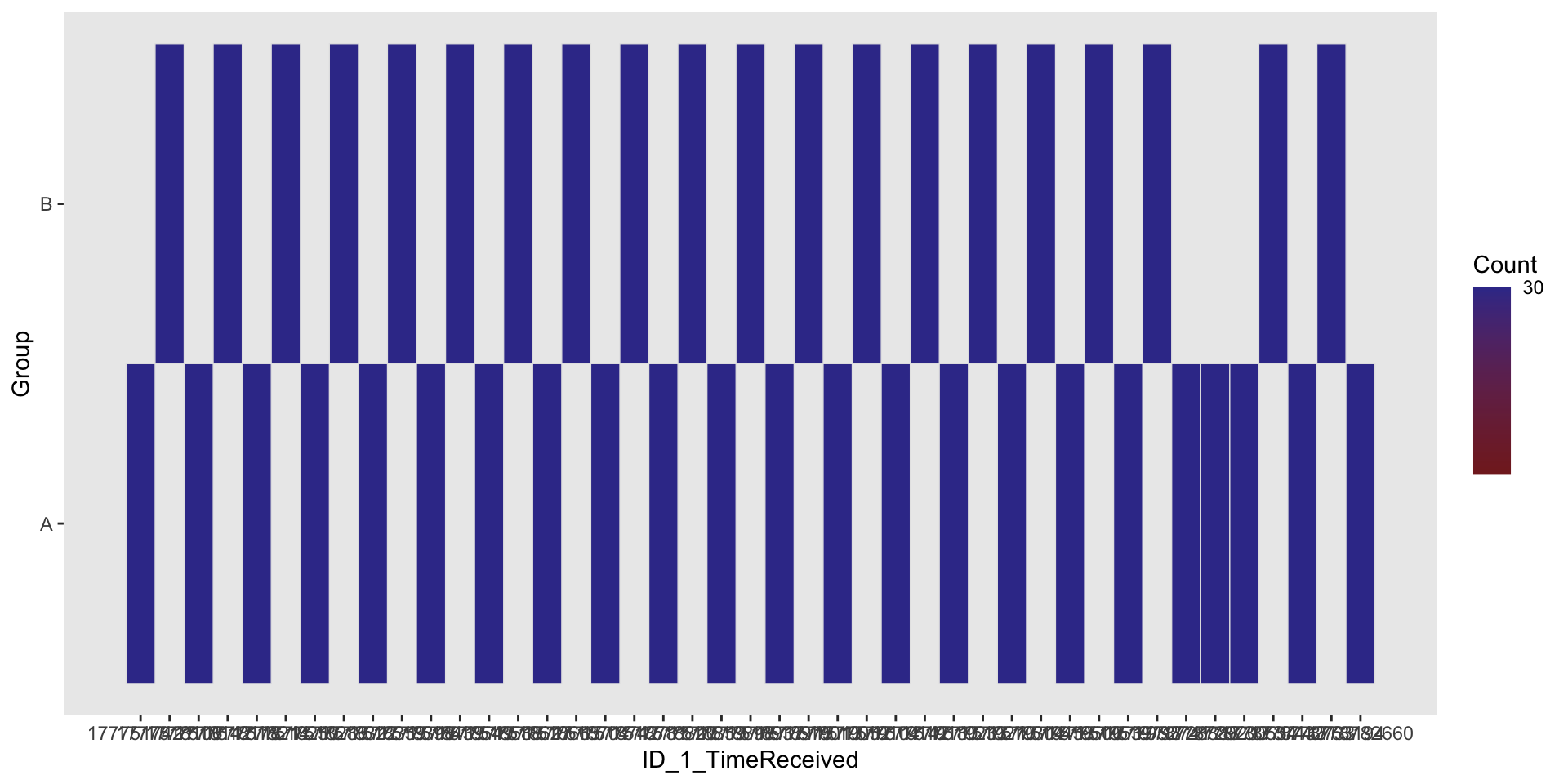
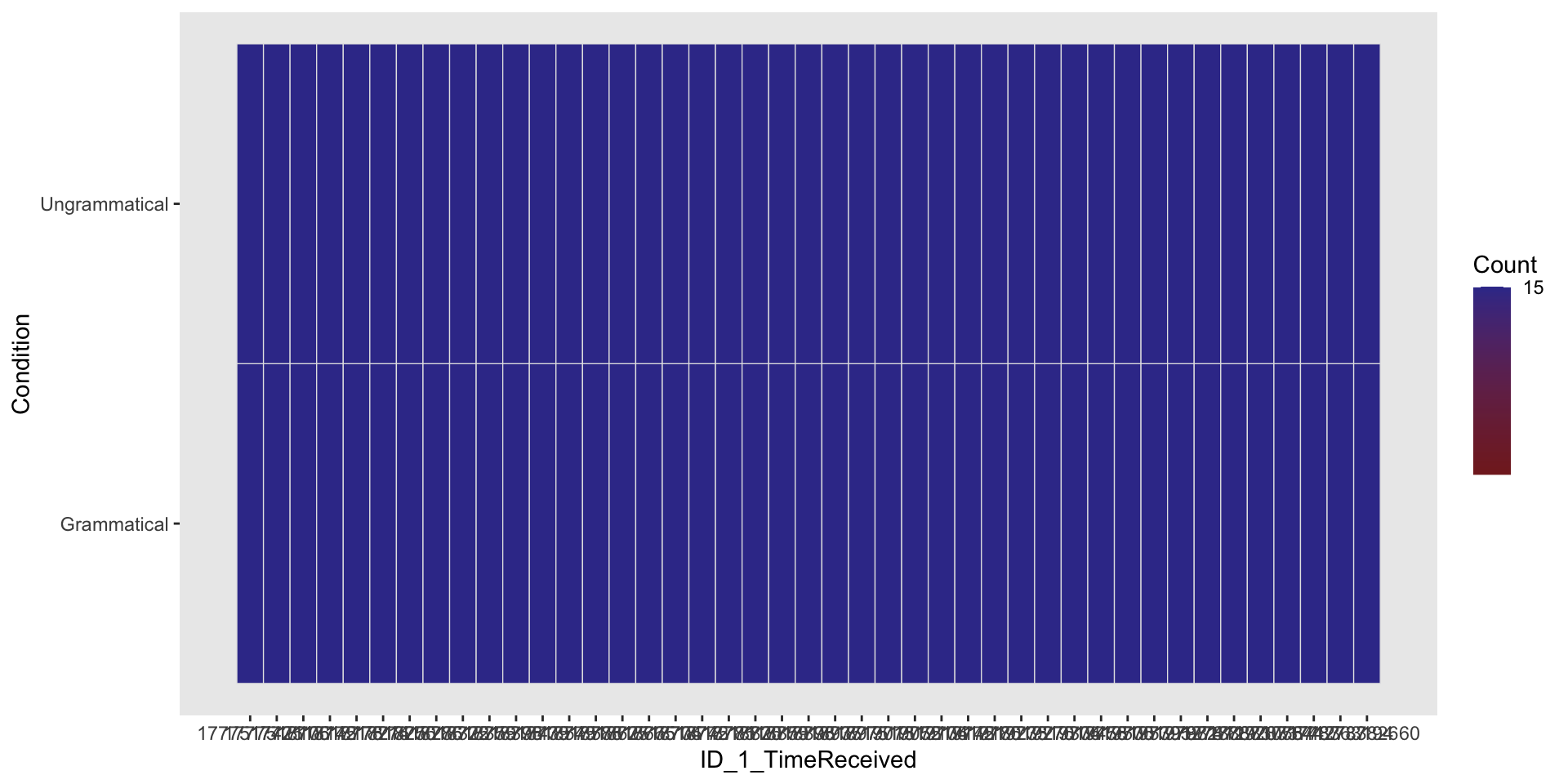
We want to make sure that we did not corrupt our data when arranging them for further analyses. Otherwise, we can run further analyses and have results, but they will have no value!
We will mostly use the ezDesign() function from the ez package.
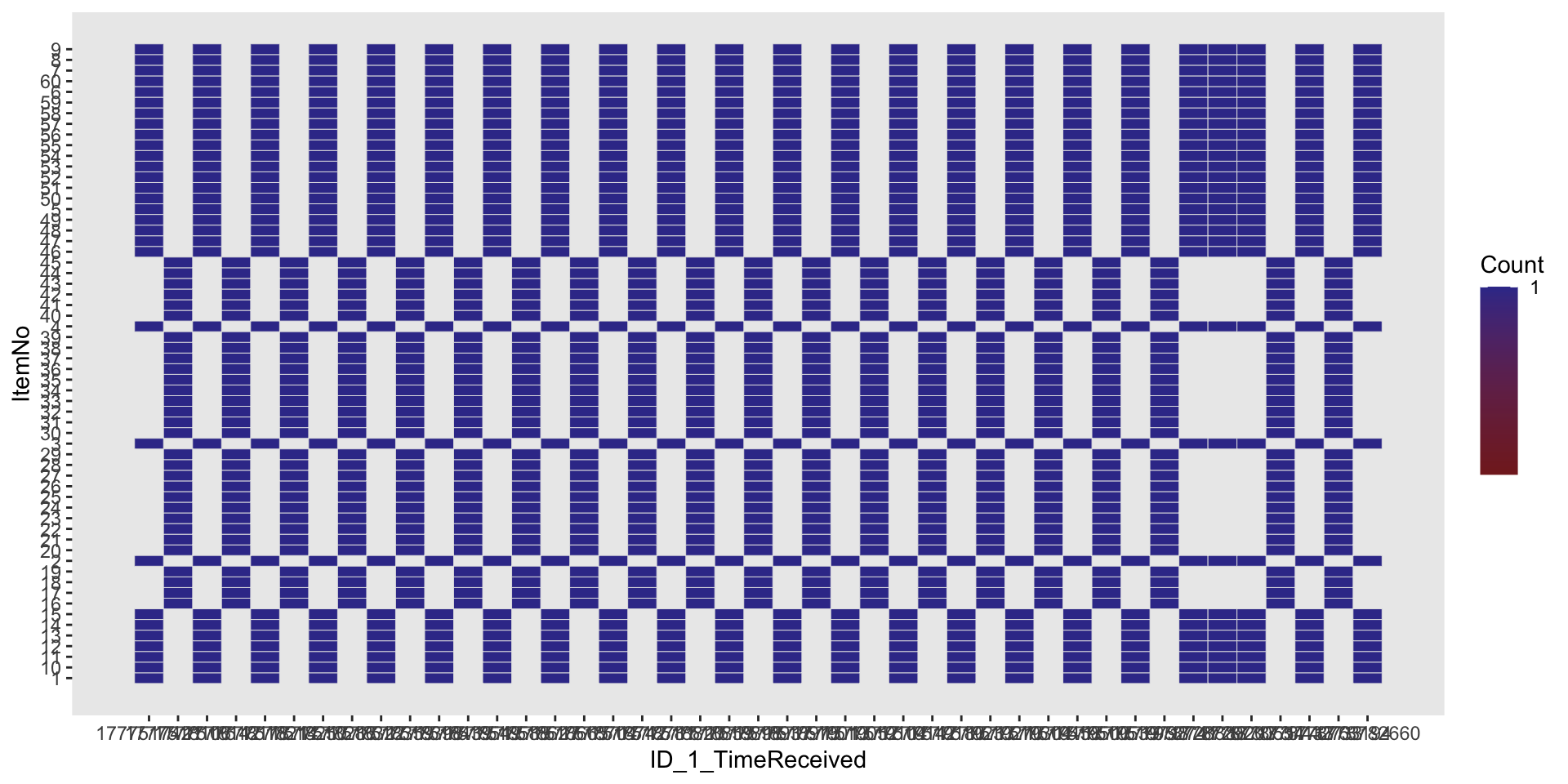
# Same number of item per condition for each participant? (should be '15')
ezDesign(data3, ID_1_TimeReceived, Condition)
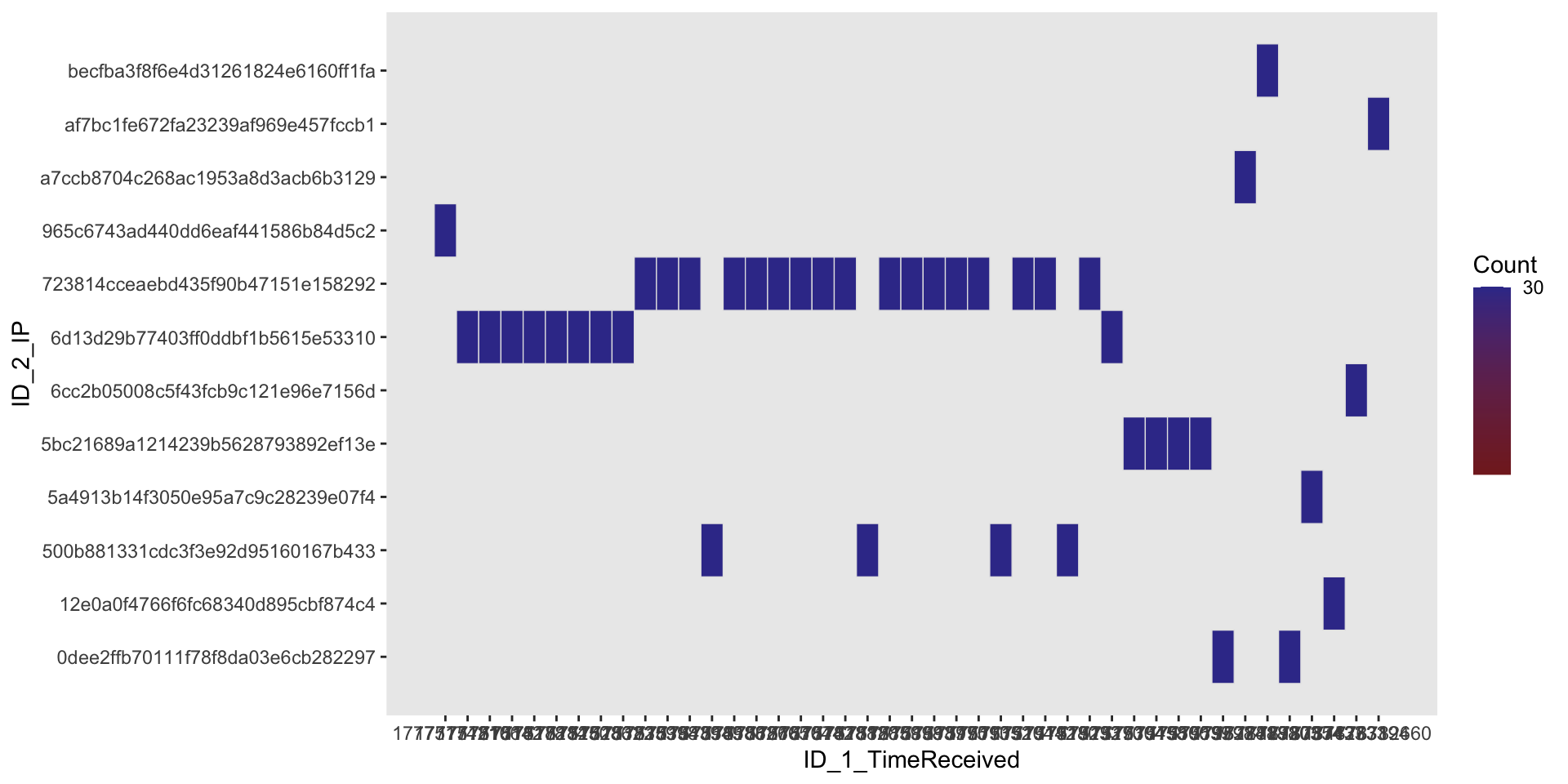
# Which participants share the same ID? (hint that this could be the same participant filling the questionnaire twice)
ezDesign(data3, ID_1_TimeReceived, ID_2_IP)
Check that the file appears in your working directory!
Important
Please annotate the Markdown file from this week, knit to a PDF file, and upload on Moodle!